The art of brass laser engraving, also referred to as laser etching brass or laser marking brass, is a sophisticated technique used to etch or engrave designs, text, patterns, or images onto brass surfaces such as brass coin, plaque, and lighter. This process harnesses the power of focused light to selectively remove layers of brass, leaving behind permanent marks.
In this guide, we will delve into brass laser engraving, covering everything from start to finish! So, let's dive into this exciting journey together!
In this article:
- Part 1: What is Brass Laser Engraving and the Machine?
- Part 2: Benefits of Brass Laser Engraving
- Creative Projects: Top 5 Brass Laser Engraving Projects 💡
- Case Study: Laser Engrave Brass Coin in 5 Steps 🔨
Part 1: What is Brass Laser Engraving and the Machine?
1.1 How Does Laser Engraving Work on Brass?
Brass laser engraving works by directing a focused laser beam onto the surface of the brass, causing localized heating and vaporization. The laser follows the path of your chosen design—whether it's a graphic, pattern, or text. During this process, a thin layer of brass is removed, creating the desired engraving effect.
Engraving brass with laser is always a better choice among all methods of brass engraving as it offers convenient, precise and durable engraving on various types of brass, providing intricate designs with lasting quality.
1.2 Laser Engraver for Brass:
To begin brass laser engraving, you'll require a brass engraver. These machines are indispensable for brassr engraving process, as they can handle the hardness and density of brass materials, streamlining the engraving process and ensuring precise and durable results.
With numerous brass engraver available, some people may wonder What laser is best for engraving brass or What machine engraves brass best?
While some users may question the ability of diode lasers to engrave brass, it is indeed possible—with some preparation. Brass is a highly reflective material, making it difficult for diode lasers to engrave directly. However, by applying a laser marking spray or coating to the surface, diode lasers can effectively mark brass.
CO₂ lasers, on the other hand, are not ideal for direct brass engraving due to the high reflectivity at their infrared wavelength. In fact, using a CO₂ laser on brass without proper precautions can risk damaging the machine.
In contrast, fiber lasers are the most effective option for directly engraving brass. Operating typically at 1064 nm, fiber lasers are specifically designed to work with metals. They offer high precision, deeper engraving, and faster marking speeds without the need for sprays or coatings. This makes them ideal for professional or industrial use.
If you're looking to engrave brass at home or on a small scale, LaserPecker LP5 or LP4 is a great choice. Both models feature a dual-laser system—combining a diode laser and a fiber laser—giving you the flexibility to work with a variety of materials, including brass. Plus, LaserPecker brass engravers are portable, user-friendly, and cost-effective, making them ideal for personal or small business use.
Part 2: Benefits of Engraving Brass with Laser
Engraving brass with a laser offers a myriad of advantages, making it the preferred choice for creating intricate designs (even 3d effect) on brass surfaces. Here are some key benefits:
1. Fine Detailing:
Laser engraving enables the creation of intricate and delicate designs on brass surfaces with unparalleled precision, allowing for the reproduction of intricate patterns and fine details that may be challenging with other methods.
2. Minimal Material Disturbance:
Unlike traditional engraving methods which may involve physical contact with the material, laser engraving is a non-contact process that minimizes the risk of damage or distortion to the brass surface, ensuring clean and precise engravings.
3. Versatility in Material Thickness:
Laser engraving can be adjusted to accommodate varying thicknesses of brass materials, providing flexibility in engraving on thin sheets, thick plates, or even curved surfaces, expanding the range of potential applications.
Creative Projects: Top 5 Brass Laser Engraving Projects 💡
Here are the top 5 brass engraving projects:
1. Laser Embossed Brass Coin
With a laser, you can create stunning 3D effects on a brass coin, turning it into a truly unique and valuable piece of art. More importantly, this level of detail and precision surpasses what traditional brass engraving methods can achieve.
2. Laser Engraved Brass Stamp
Just like with 3D effects on a brass coin, this technique can also be applied to brass stamps, allowing you to customize and personalize the stamp exactly the way you want with laser.
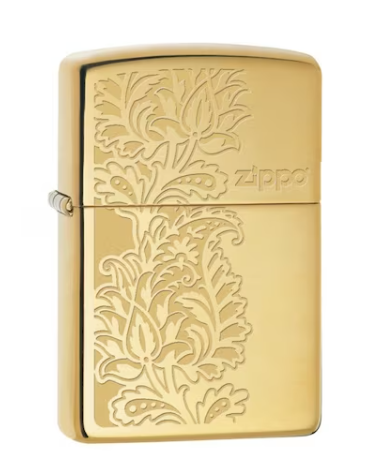
3. Laser Engraved Brass Lighter
A brass lighter becomes more than just a functional tool when you engrave it with a laser—it becomes a personalized keepsake. Whether you're adding a name, logo, intricate pattern, or even a meaningful quote, laser engraving allows for precise and detailed customization on the lighter's surface.
4. Laser Engraved Brass Menu
Turn a simple brass sheet into a luxurious and eye-catching menu with laser engraving and cutting. By using a fiber laser, you can precisely engrave text, logos, or decorative elements onto the brass surface, giving the menu a refined and professional look. After engraving, the brass sheet can be cut into custom shapes or sizes.
5. Laser Engraved Brass Coffee Plate
Using a laser, you can achieve high-precision designs that are heat-resistant, durable, and visually striking—perfect for daily use or display in cafés, restaurants, or at home.
Source: LP5 Official Facebook Group
Case Study: Laser Engrave Brass Coin in 5 Steps 🔨
Preparation checklist for laser engraving brass coin:
- Engraving Material: Brass Coin
- Engraving Machine: Laser Engraver
- Engraving Design: Text, Images, Patterns, etc.
Is brass good for engraving? Definitely yes! Whether you prefer patterns, quotes, or images, the process is straightforward. Follow these 5 simple steps to add personalized and intricate designs to your personalized laser engraved brass crafts.
Step 1: Choose Your Brass Material
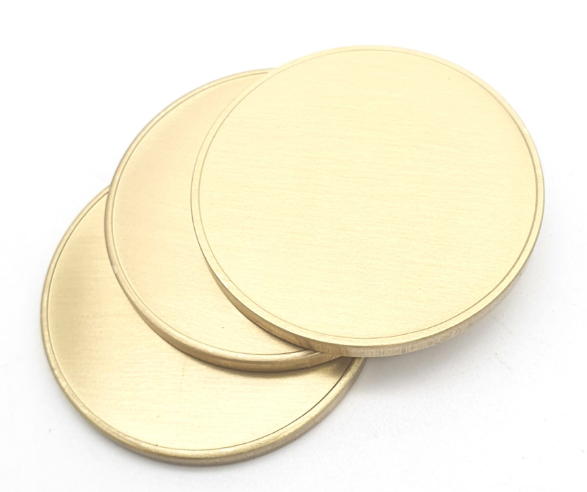
Selecting the right brass material for laser engraving is crucial for achieving desired results. Brass materials with clear and smooth surface are all good choices. However, please remember that it's important to choose laser-safe brass material to avoid any potential safety hazards.
In this guide, we'll conduct a case study on laser engraving with a brass coin.
Step 2: Choose the Right Laser Engraving Machine for Brass
Here, we choose LaserPecker 5 (LP5), which is a dual-laser and multi-functional laser engraver that excels in brass engraving.
Step 3: Prepare Your Engraving Design
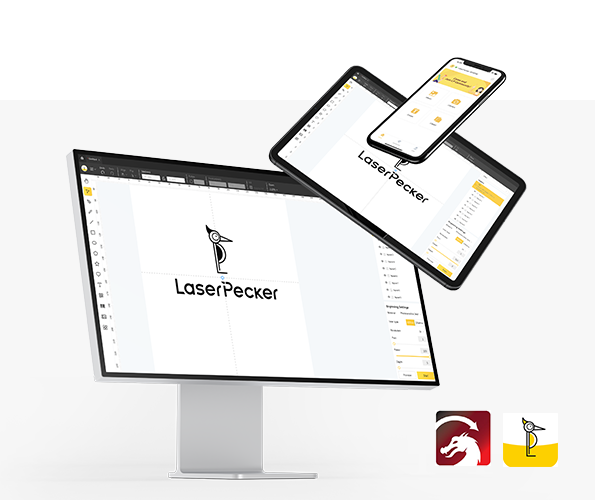
Use a free graphic design app/software to create or import the image or pattern you want to engrave on the brass surface. Consider size, shape, and details like text or patterns.
Step 4: Set up the Brass Laser Engraving Machine
Firstly, Make sure your engraver is powered on, and then connect your laser engraver to your computer or mobile device using the appropriate interface (USB, Wi-Fi, etc.)
Secondly, Open the graphic design software and load your design.
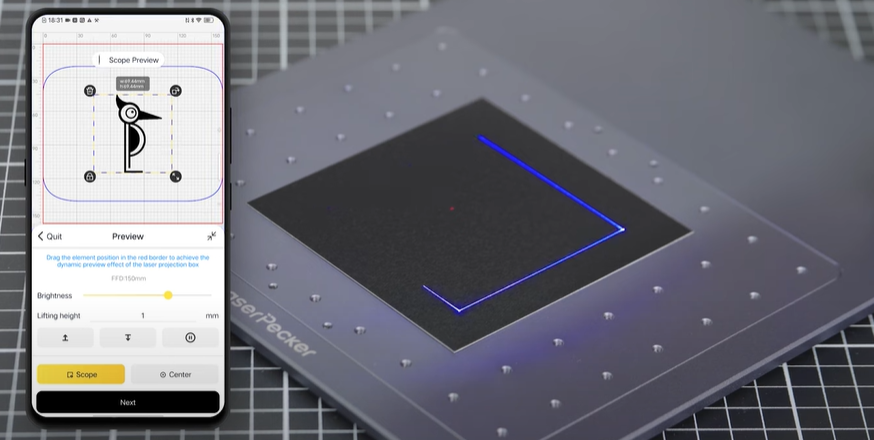
Thirdly, Turn on the "Preview Mode" to confirm if the laser lens is correctly focused. To verify it, you have 2 methods.
If you choose LaserPecker 5 (LP5), the first method is to use a ruler to measure the distance between the brass coin surface and the machine, with a recommended distance of 15cm or 150mm.
Fourthly, You need to place the items within the designated working area and examine the design's appearance on the brass material. If it doesn't fit correctly, you'll need to adjust its position and size to ensure it aligns with the dimensions of your project.
Finally, Access the software's laser settings to adjust parameters like power, speed, and resolution according to the brass's properties and design intricacy. You might be wondering, "How much laser power is needed to engrave brass material?" and "How deep is the laser etch on brass material?" Rest assured, I've got you covered!
To get the best result, the recommended laserpecker 5 material settings for brass is 3D grayscale embossing mode; 20W 1064nm; Resolution: 4k; Power: 100%; Depth: 30%; Pass: 1 ;Laser frequency: 30
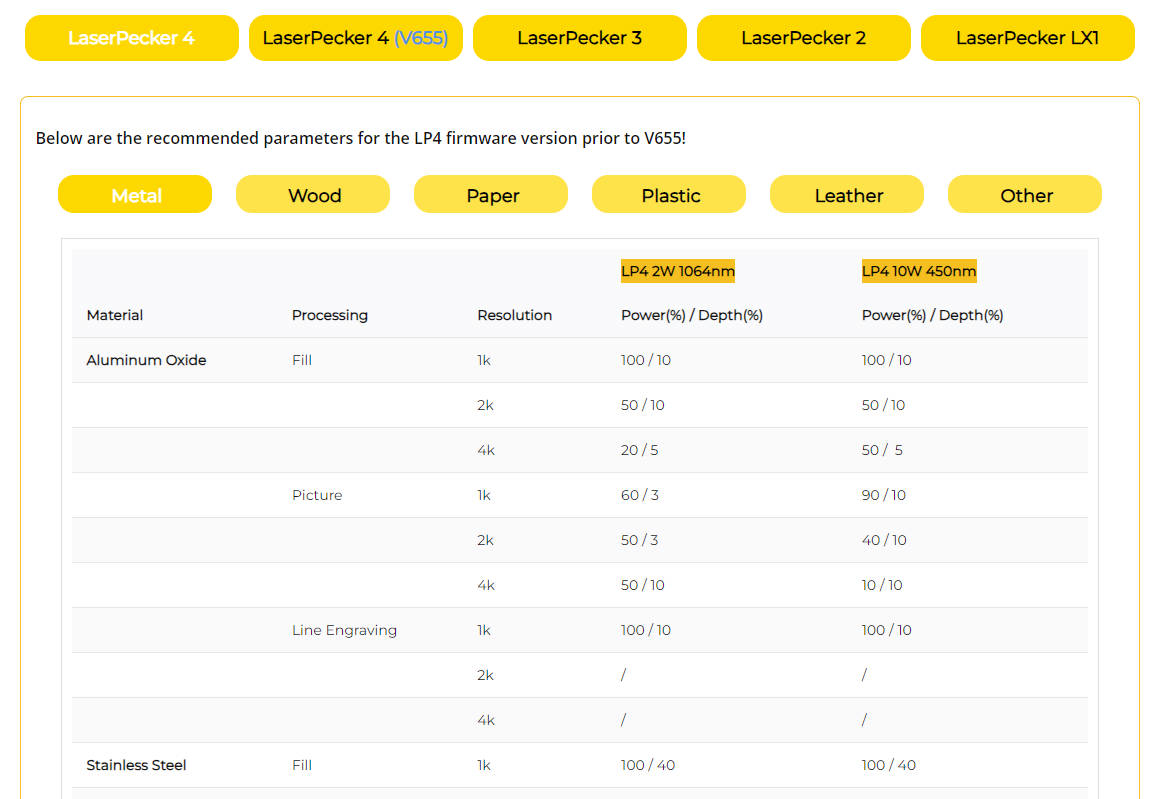
To engrave a brass coin with the LP4, you can use the following settings: 2 W 1064 nm; Resolution: 2k; Power: 100%; Depth: 100%; Pass: 1
To explore other laserpecker material settings, refer to the settings table that applies to any laserpecker engraving and cutting machines, including LP1, LP2, LP3, LP4 and LP5.
Step 5: Start Your Brass Laser Engraving Now
Double-check everything to avoid mistakes. Then, hit the start button and watch the magic happen. The laser brings your design to life. Keep an eye on it, and you're all set!
When operating a laser engraving machine with a 450 nm blue laser, it's advisable to wear goggles or use a laser protection cover to protect your eyes and body from potential harm, as the blue laser can pose risks.
Additionally, please be mindful that smoke or toxic gases may be emitted during the brass laser engraving process. Wearing a mask or employing an air purifier is essential for safety.
If you want to know more about how to use the LaserPecker LP5 machine, check out the LaserPecker Support Center!
Conclusion
In essence, this guide presents brass laser engraving as a transformative tool for personalizing artwork. We aim to inspire you to delve into brass laser engraving, enabling your creativity to blossom and breathe imaginative designs into existence on brass materials.